As your business evolves, your website should too. But if the thought of starting a redesign makes you break out in a cold sweat, don't worry, you don’t have to rebuild from scratch.
As a Cohesive Digital client, giving your website a facelift is incredibly straightforward. Our
Reset Site feature allows you to update your template while choosing exactly how much of your existing content you want to keep.
How to Reset Your Site (Step-by-Step)
You have two different ways to reset your site, depending on where you are currently working:
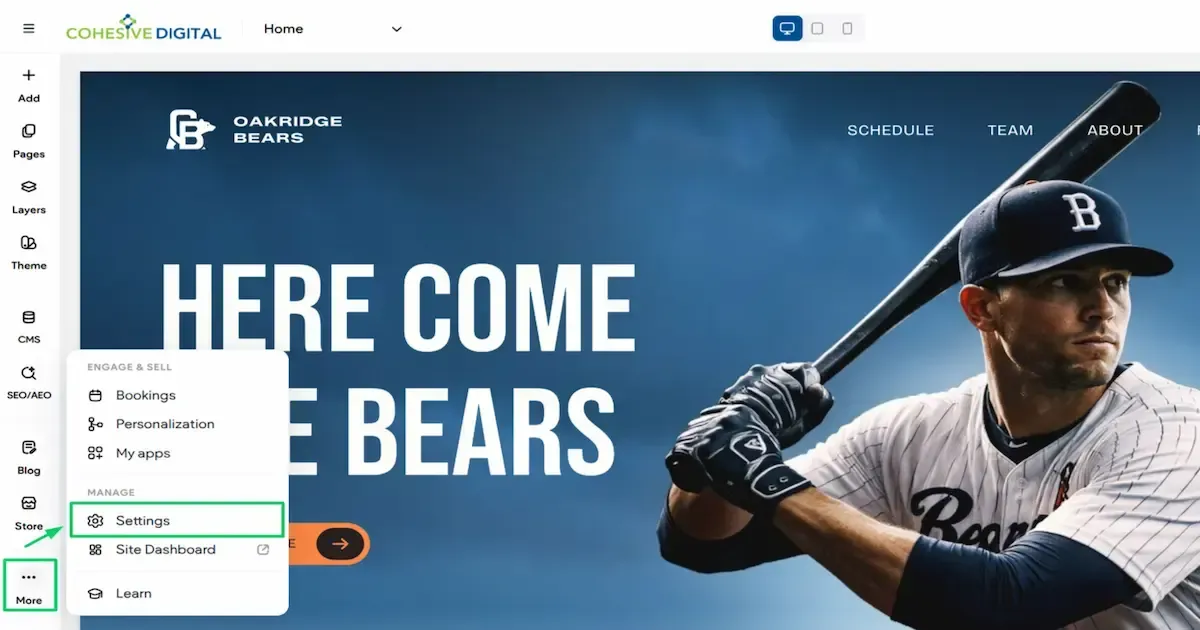
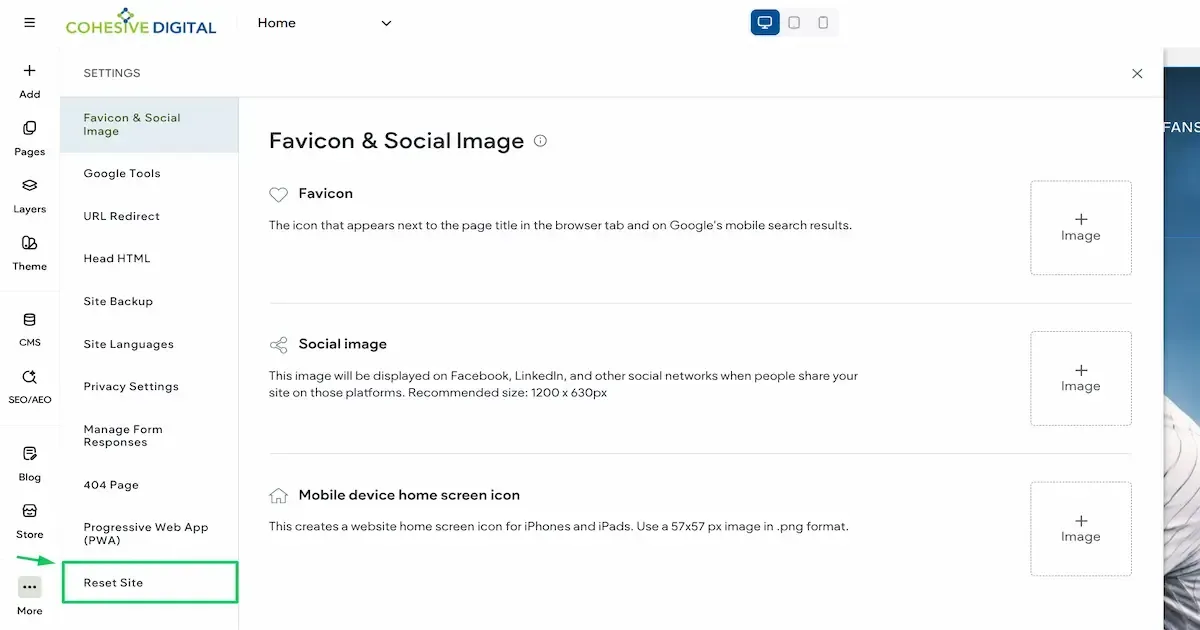
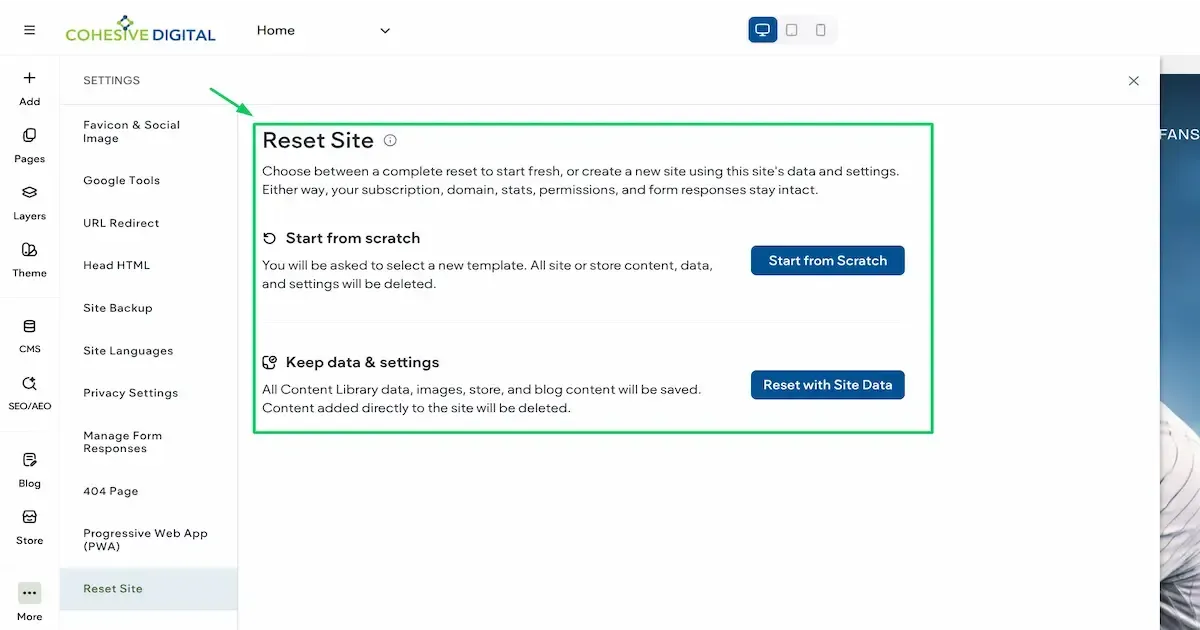
Method 1: From the Site Editor (For All Reset Types)
Method 1: From the Site Editor (For All Reset Types)
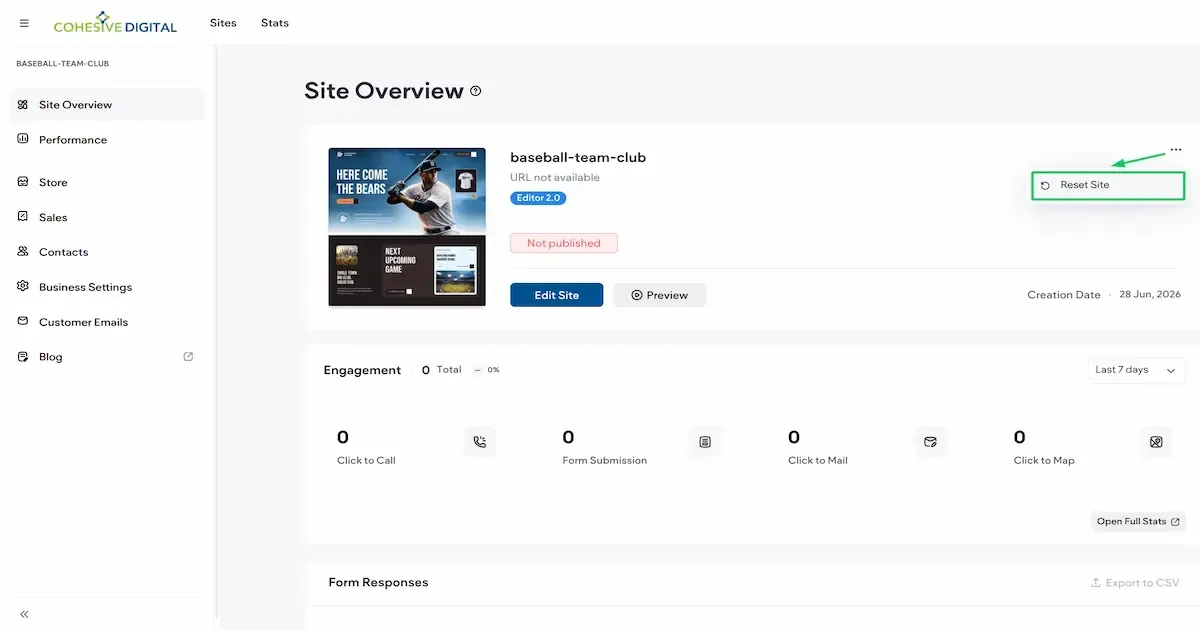
Method 2: From the Dashboard (For "Start from Scratch" Only)
Method 2: From the Dashboard (For "Start from Scratch" Only)
Which Reset Option is Right for You?
When resetting your site from the editor, you will be asked to choose between two reset types. Here is a guide to help you choose the best option for your goals:
1. Keep Data and Settings (Recommended)
Choose this option if: You want to upgrade your site design but keep your existing content. This saves your Content Library (business info, text, and images), uploaded site images, store, and blog content. With connected templates, you can even auto-populate the widgets of your new site!
2. Start From Scratch (Previously "Complete Reset")
Choose this option if: You are doing a total rebrand or truly want a blank slate to build a completely new site from the ground up.
ℹ️ Important Notes for Both Reset Types
⚠️ Warning for Third-Party E-Commerce Stores
If you have a third-party store with Store Pages and you select a template without a store, the store will break and your site data will not be retained.
Need a Helping Hand?
Redesigning your website is a breeze with the Cohesive Digital dashboard. Whenever you're ready for your new look, simply log in to browse our latest templates.
If you'd prefer to have us handle the refresh for you so you can focus on running your business, explore our Website Design Services. We're always here to help!